
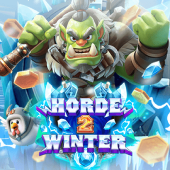
Horde 2 Winter | Slot Overview & Demo Guide
A clear introduction to this winter-themed slot, its main play sequence, and the checks that help you decide whether it suits your preferred pace.
In brief, Horde 2 Winter is a slot experience built around a frosty seasonal presentation; players can review its screen, understand the spin controls, and set a personal limit before starting. A demo, when offered in the game lobby, is a useful way to learn the interface, but it cannot predict paid-session results.
Nustar App Horde 2 Winter information is intended to help visitors make an informed choice rather than promise a result. Check the displayed game rules and current account conditions before playing.
More slot picks alongside Horde 2 Winter

Boxing King

Coin Lamp
Color Game
Crazy777
These compact recommendations are presented as lobby choices. Their shared slot category does not mean they have identical rules, volatility, bonus features, or expected return; open each title’s information panel before deciding.
What to compare before choosing Horde 2 Winter
The practical answer is to compare control clarity, published rules, session cost, and theme preference—not a short run of wins. Horde 2 Winter can be assessed using the same transparent checklist as other slots: confirm the paytable, identify any feature triggers shown in-game, and note whether the available stake range fits a fixed entertainment budget.
Rules and controls
Read the paytable and help panel first. Make sure the spin, stake, and any feature controls are understandable before committing a balance.
Presentation and pace
Consider whether the seasonal art, sound, and animation style are comfortable for your session. Visual effects describe presentation, not the likelihood of a payout.
Budget fit
Choose a stake that keeps the planned session within a limit you can afford to lose. Avoid increasing a stake to recover previous losses.
For a contrasting format, the game overview for Mahjong Ways 2 lets you compare how another slot presents its theme and information. Treat each title independently, because interface similarities do not establish shared mechanics or outcome patterns.
Features that shape a Horde 2 Winter session
The main things to inspect are the base-game controls, the rules shown for any special symbols, and the way the title communicates a feature event. Horde 2 Winter is listed as a slot, so it follows a spin-based format; the exact symbols, paylines, and bonus conditions should be verified in the game itself rather than assumed from its name or artwork.
- Start with the information screen. Review symbol values, minimum and maximum stakes, and any feature description before your first spin.
- Use one deliberate stake setting. Decide the amount before play and keep it stable unless you pause to reassess your entertainment budget.
- Notice the session pace. Animation speed and repeated spins can make time pass quickly, so use breaks and a session timer.
- Separate theme from odds. Winter visuals and dramatic effects do not change the probability model described by the game rules.
A Horde 2 Winter Demo can help you learn where the controls and paytable are, if a trial option is available. Demo play may use different conditions from real-money play, and simulated results do not establish a future return. If the trial is unavailable, reading the rules and observing the interface before wagering still provides useful orientation.
Visitors comparing themed titles may also find Treasures Of Aztec useful as a separate game reference. Compare its own paytable and rules rather than transferring expectations from one title to another.
How the Horde 2 Winter game and account tools relate
Horde 2 Winter is the individual slot; the game lobby is where a visitor locates the title and opens its play screen; and account tools handle access, balance, and session settings. These roles are related but distinct: Nustar App login concerns the account, while the game’s own help panel explains its mechanics. Confirm the available options in the current interface instead of assuming that a platform feature changes game outcomes.
The Nustar App app casino environment provides the route to browse available titles, while game-specific details remain attached to each title. A Nustar App login should be completed only through the official interface, using a private device and credentials you do not share. If you are comparing other fantasy themes, Mummy Lock Riches may appear elsewhere in the slot catalogue; open its own title entry and read its separate rules before a session.
Game layer
Shows Horde 2 Winter’s own play controls, paytable, symbols, and feature instructions. Use these details as the source for how the slot works.
Account layer
Provides sign-in and account functions. Keep authentication details private and review the current site terms and eligibility information.
Session layer
Supports personal limits such as a planned duration or spend cap. Stop when the limit is reached, regardless of the session result.
This separation is useful when reading reviews: platform access does not guarantee a particular feature in the slot, and a game description does not replace current account terms. For a safer experience, only participate where legal and appropriate, observe the applicable age requirement, and treat slot play as paid entertainment with uncertain outcomes.
A measured way to explore Horde 2 Winter
Open the title only after reviewing its rules, choosing a modest limit, and confirming the session fits your plans. A demo can explain navigation when provided, but it is not a forecast. Take breaks, do not chase losses, and stop whenever play is no longer enjoyable.
Horde 2 Winter is a slot, not a source of guaranteed income. Keep decisions deliberate and use the lobby to verify current availability and game information.